
Navigating on tour
Whichever solution you use, knowing how to use it is essential
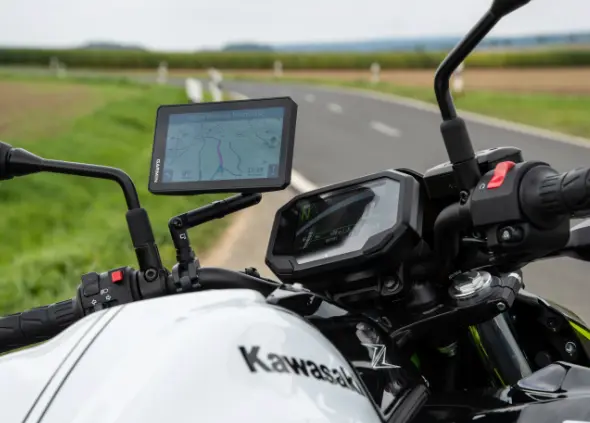
Your Sat Nav
Satellite navigation has certainly changed how we as bikers navigate. From the humble beginnings of paper maps, we all now enjoy following a route from the friendly screen up front. We are fans of using dedicated devices that just do the job of navigating and find it takes the ‘heat’ off a precious device such as our phones.
Whatever you choose to use from the abundance of options out there, make sure you are comfortable with altering settings, loading GPX or ITN files and following the device directions. This may seem like obvious things to mention, but remembering that these are only devices, this will never take away your need to check road signs and locations.
Navigating by phone
Some people prefer to use their phones when navigating on a tour. This is great as there are some exceptional bits of kit available, such as Chigee AIO5 Lite and BMW versions, Carpuride and many other makes.
You can also use Google maps or Waze or as we like to use MyRouteApp and also Scenic App.
These apps work amazingly well, although we only provide GPX and ITN files. GPX being for Garmin devices and ITN files being for TomTom devices.
We do of course provide a link in our extensive itinerary to allow you to use Google Maps and the like. These apps are fab and will get you to the right place, although by using Google Maps, their algorithm may change your route slightly to avoid built up areas, so with this in mind we have added waypoints to make sure you are on the right and most enjoyable roads.
Mounting your phone
If you are using your phone on your handlebars, consider buying a mounting solution such as Quad Lock with a vibration damper as vibrations can kill your phone camera.
Which apps?
There are lots of phone apps for navigation so make sure you are happy using it and you know the settings menu and how to change things. Being able to import GPX files will greatly help you load our routes.
Google Maps
Google Maps is a great tool to use. It will get you to the right place although their algorithm will calculate the best route based on live traffic, so your tour may differ slightly from our GPX files.
Phone Mirroring Devices
There are lots of phone mirroring devices available now. These mirror your phone on a screen and mean you can keep your phone safe while riding. If you use one, bear in mind you may need to keep your phone battery topped up throughout the day.
Overheating
In some circumstances, using your phone for navigation and everything else, puts a demand on the phones functions and we have seen some phones overheat in extreme temperatures, so bear this in mind.
Back Up Device
Always having a backup device such as a dedicated GPS or even a paper map is an excellent way to deal with any eventuality when touring. If your phone dies, how will you use the apps and cameras etc?
Checkout Chiggee!
Sat Navs have moved a long way since we started riding and now more than ever people are turning to their phones to help them in every possible way.
This is true for navigation too. Screen mirroring devices such as the Chigee AIO5 Lite and BMW versions mean you can now use whatever app you want (providing they are Apple CarPlay or Android Auto compatible).
Which tour will you choose?
Come ride through Europe with us and see what you have been missing!